Disclaimer
This tutorial on How To Apply for Tax Compliance Certificate (TCC) is an independent step-by-step guide by Tutorials Kenya. We are not affiliated with or endorsed by Kenya Revenue Authority (KRA) or any government agency in Kenya. This step-by-step tutorial is for informational and educational purposes only.
Tax Compliance Certificate (TCC) is an official document issued by the Kenya Revenue Authority (KRA) that confirms a taxpayer has fulfilled their tax obligations in Kenya. It serves as proof that an individual is compliant with tax laws, including filing returns and paying taxes on time.
READ ALSO: How To Change Mobile Number on iTax
Obtaining a KRA Tax Compliance Certificate is important because it is often required during job applications, when bidding for government contracts or engaging in certain business transactions amongst other key uses. It demonstrates that a taxpayer is compliant and he or she has filed all returns and paid any taxes due on time.
Submit Service Request
Waiting Duration: 5 minutes
You will receive your:
- KRA PIN Number
- KRA PIN Certificate
Via: Email Address and WhatsApp
How To Apply for Tax Compliance Certificate (TCC)
To successfully apply for KRA Tax Compliance Certificate on iTax (KRA Portal), you need to carefully follow the step-by-step instructions outlined below to ensure the process is completed correctly.
-
Step 1: Visit iTax (KRA Portal)
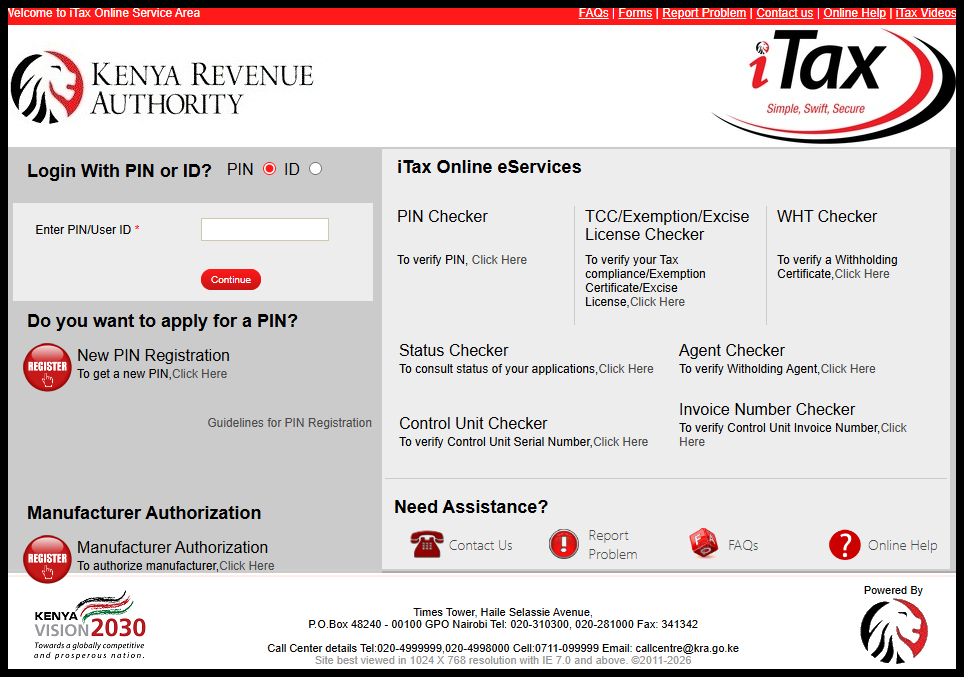
The first step in the process of applying for Tax Compliance Certificate (TCC) is to visit iTax (KRA Portal) using the link – https://itax.kra.go.ke/KRA-Portal/
-
Step 2: Log in to iTax (KRA Portal)
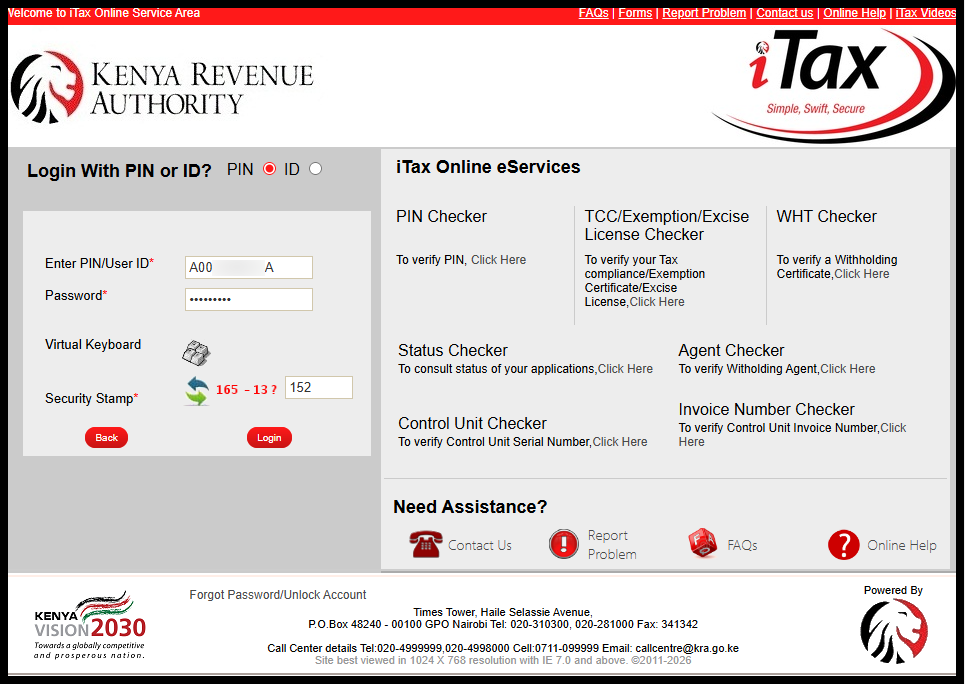
Once you are on iTax (KRA Portal), enter your KRA PIN Number or National ID Number, click on the “Continue” button, enter iTax Password (KRA Password), solve the arithmetic question (security stamp) and click on the “Login” button to access your iTax account.
-
Step 3: Click on Certificates then Apply for Tax Compliance Certificate (TCC)
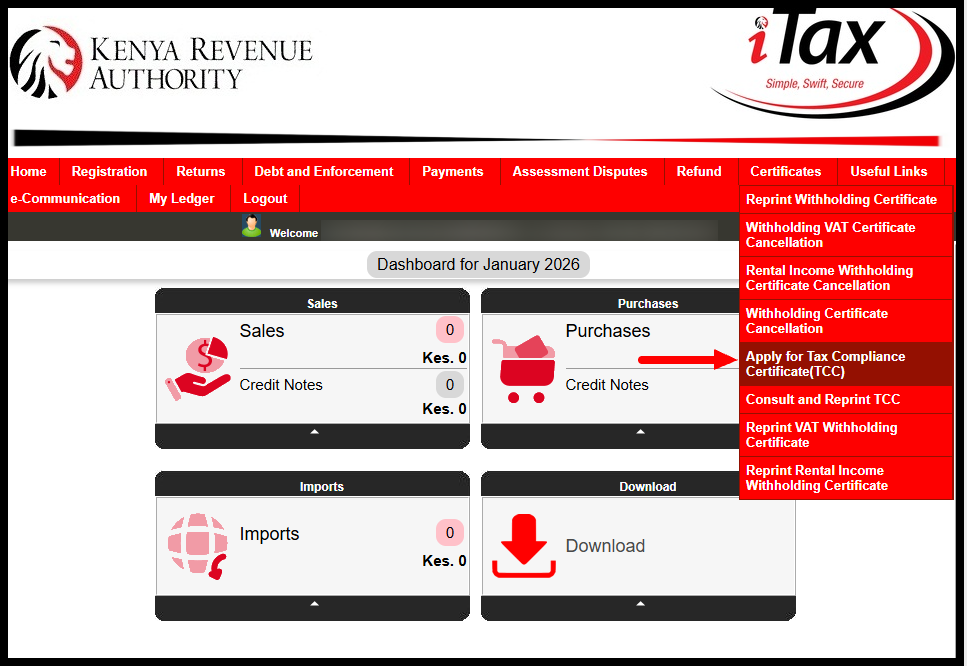
Click on the “Registration” menu and from the dropdown list, select “Apply for Tax Compliance Certificate (TCC)” to beging the application process. If your returns filing is up to date, a pop up will appear with the message:
Please be informed that you are entitled for the Tax Compliance Certificate (TCC) without any workflow. Please click ‘OK’ to continue.
What you need to do at this point is to click on the “OK” button to start the application process for KRA Tax Compliance Certificate (TCC) on iTax (KRA Portal).
-
Step 4: Select Reason for Application
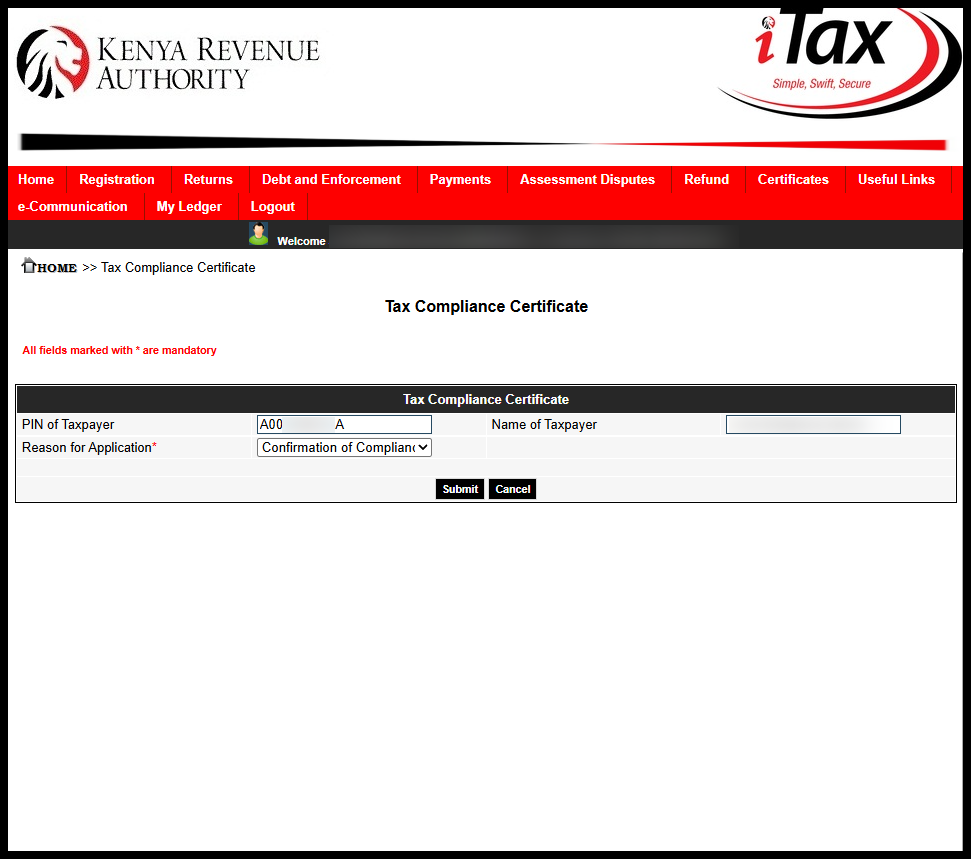
Next, you need to select the reason you are applying for a KRA Tax Compliance Certificate (TCC). The reasons that you can select from includes: job application, government tender, renewal of work permit, clearing and forwading agents, seeking liquor licences, confirmation of compliance status or other regulatory requirements. Once you have selected the reason for Tax Compliance Certificate application, click on the “Submit” button.
-
Step 5: Download Tax Compliance Certificate
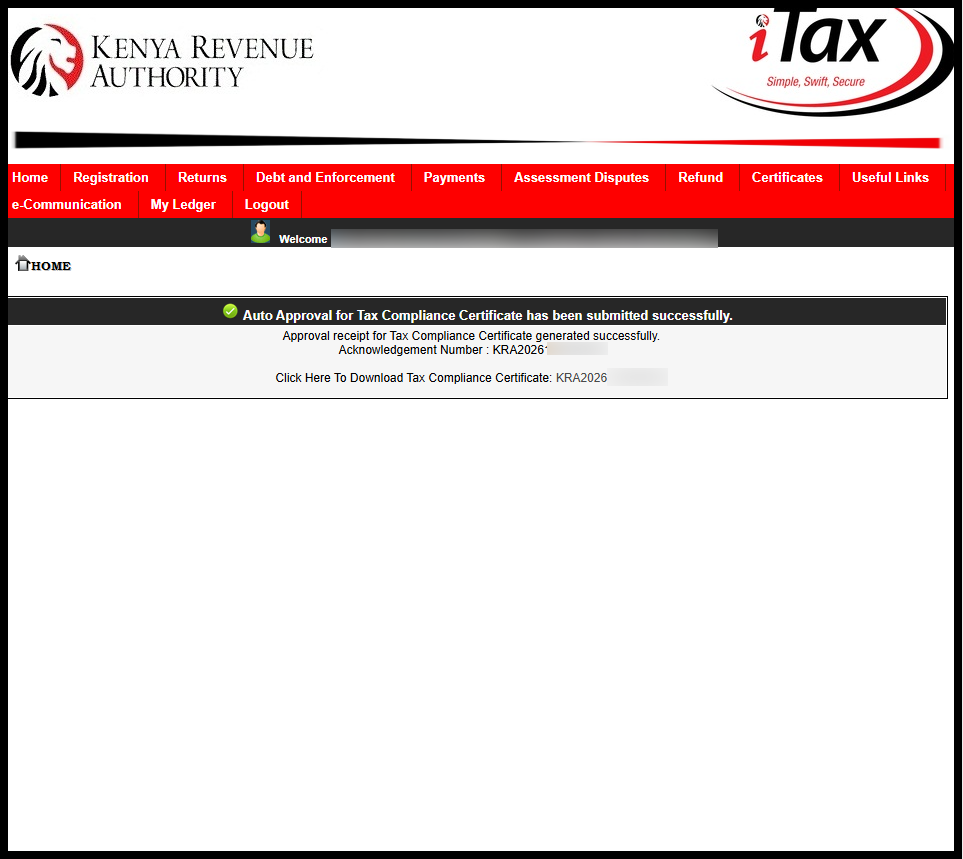
Your Tax Compliance Certificate application will be auto approved and you can now download the same by clicking on the link – “Click Here to Download Tax Compliance Certificate.”
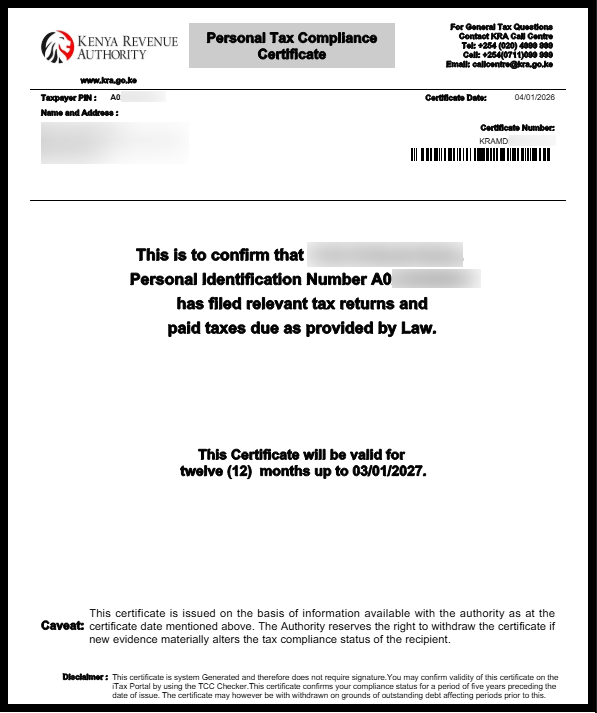
This will save a PDF copy of your KRA Tax Compliance Certificate (TCC) and you can choose to either print a hardcopy or save a softcopy of the same TCC for immediate or future usage in Kenya when required. Note that Tax Compliance Certificate is valid for a period of 12 months only and should be renewed once it has expired.
Submit Service Request
Waiting Duration: 5 minutes
You will receive your:
- KRA PIN Number
- KRA PIN Certificate
Via: Email Address and WhatsApp
After submitting your Tax Compliance Certificate (TCC) application on iTax (KRA Portal), if you have no pending returns or outstanding tax liabilities, your TCC will be issued immediately and will be available for download. However, if you have pending returns or unpaid taxes, you must first file all outstanding returns, clear any tax liabilities, and pay the applicable penalty of Kshs. 2,000 per year not filed before the TCC can be processed and issued.
READ ALSO: How To Change Email Address on iTax
Keeping your tax records up to date by filing returns on time and settling taxes promptly helps ensure a smooth Tax Compliance Certificate application process on iTax (KRA Portal). Regular compliance not only prevents delays but also allows you to obtain or renew your KRA Tax Compliance Certificate whenever it is required for official or business purposes in Kenya.

Tutorials Kenya publishes clear step-by-step tutorials designed to help Kenyans understand online processes. Our step-by-step tutorials are written in very simple language to make online processes easier for all Kenyans.